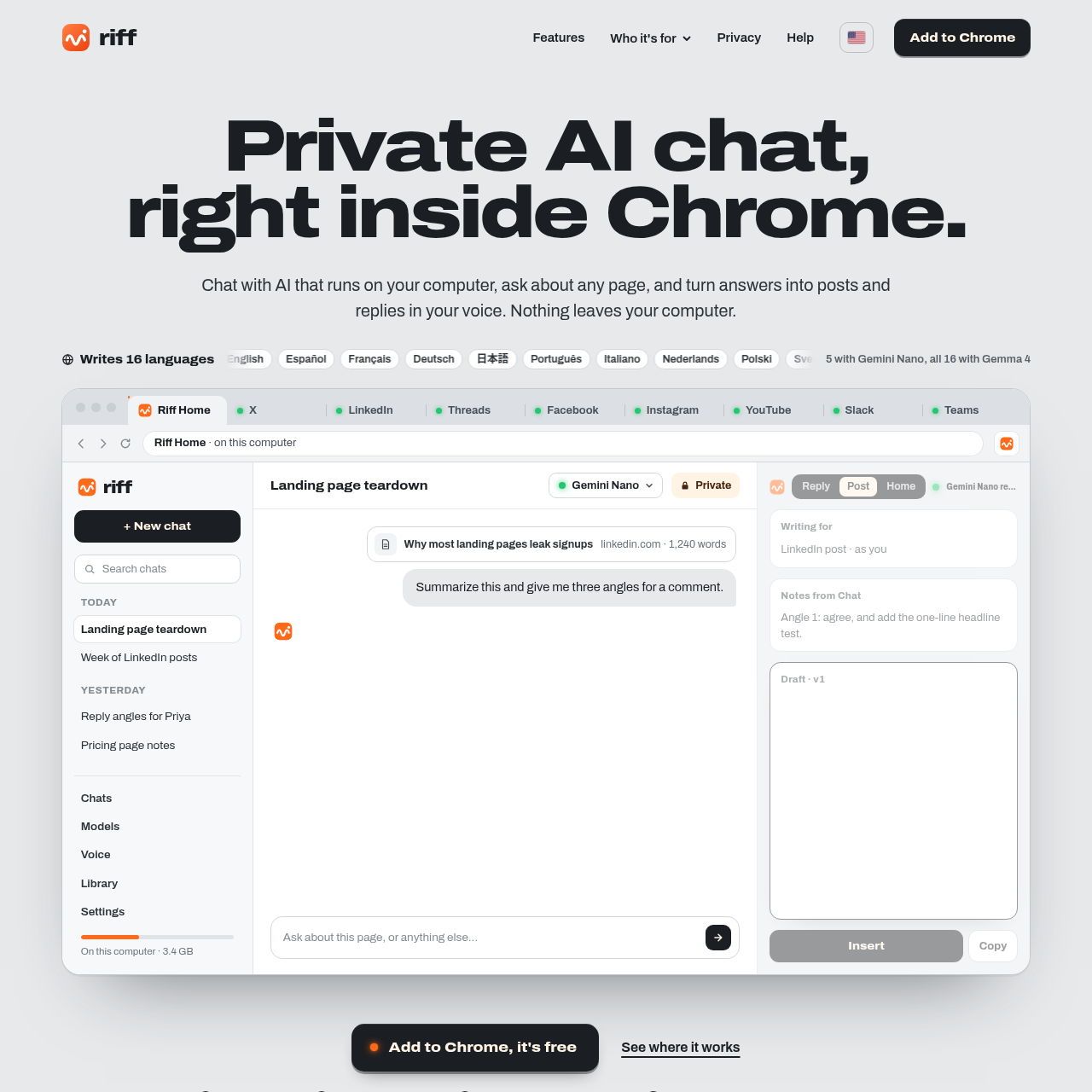
Riff's overview
Riff is a free extension for Chrome, Brave, and Edge, designed for individuals who want to generate posts and replies in their own voice. It runs on the user's computer, ensuring privacy and security.
What You Can Do With Riff
- Write Posts — generate posts and replies in 16 languages, including English, Spanish, French, and Japanese, with the ability to write in the tone and length of the original post.
- Chat Privately — have private AI chats that run on your computer, with no data leaving your device.
- Export Chats — export or delete chats anytime, giving you full control over your data.
- Use Multiple Models — use the built-in Chrome model or download a larger model, such as Gemma 4, to generate more accurate and helpful responses.
- Connect Local Models — connect local model apps, such as LM Studio or Ollama, to use their chat models and generate responses.
- Make it a Post — turn any answer into a post with the 'Make it a post' feature, which opens the side panel's Post builder with the answer as notes.
Riff's Key Features
🔥 Private AI chatbot runs on computer locally, no servers or API keys required for operation, and no monthly bill for usage. However, key features are: - AI chat in browser extension, no account needed for usage, and no subscription required for access. - Writes in multiple languages, including English, Spanish, French, German, Japanese, and more. - Integrates with various platforms, including X, LinkedIn, Threads, Facebook, Instagram, YouTube, Slack, and Teams.
Riff's FAQ
What is Riff and what does it do?
Riff is a free Chrome extension that provides private AI chat, allowing users to ask about any page and turn answers into replies and posts for various social media platforms and messaging apps.
How does Riff work and what languages does it support?
Riff works by reading a page only when the user asks, and the text stays in the browser. It supports 16 languages, including English, Spanish, French, German, Japanese, and more, with the Gemini Nano model writing in 5 languages and the Gemma 4 model writing in all 16 languages.
Is Riff free to use and are there any limitations?
Yes, Riff is free to use, with no account or subscription required. It runs on the user's computer, and there are no servers, API keys, or monthly bills.
What platforms and apps does Riff integrate with?
Riff integrates with X, LinkedIn, Threads, Facebook, Instagram, YouTube, Slack, and Teams, allowing users to write replies and posts directly from the Riff side panel.
How do I get started with Riff and what are the system requirements?
Riff is a Chrome extension that can be downloaded and installed for free. It works on Chrome, Brave, and Edge on desktop, and the model runs on the user's computer, with no additional system requirements mentioned.